Free · Open source · Works offline · Unsigned installer: More info → Run anyway
FEATURES
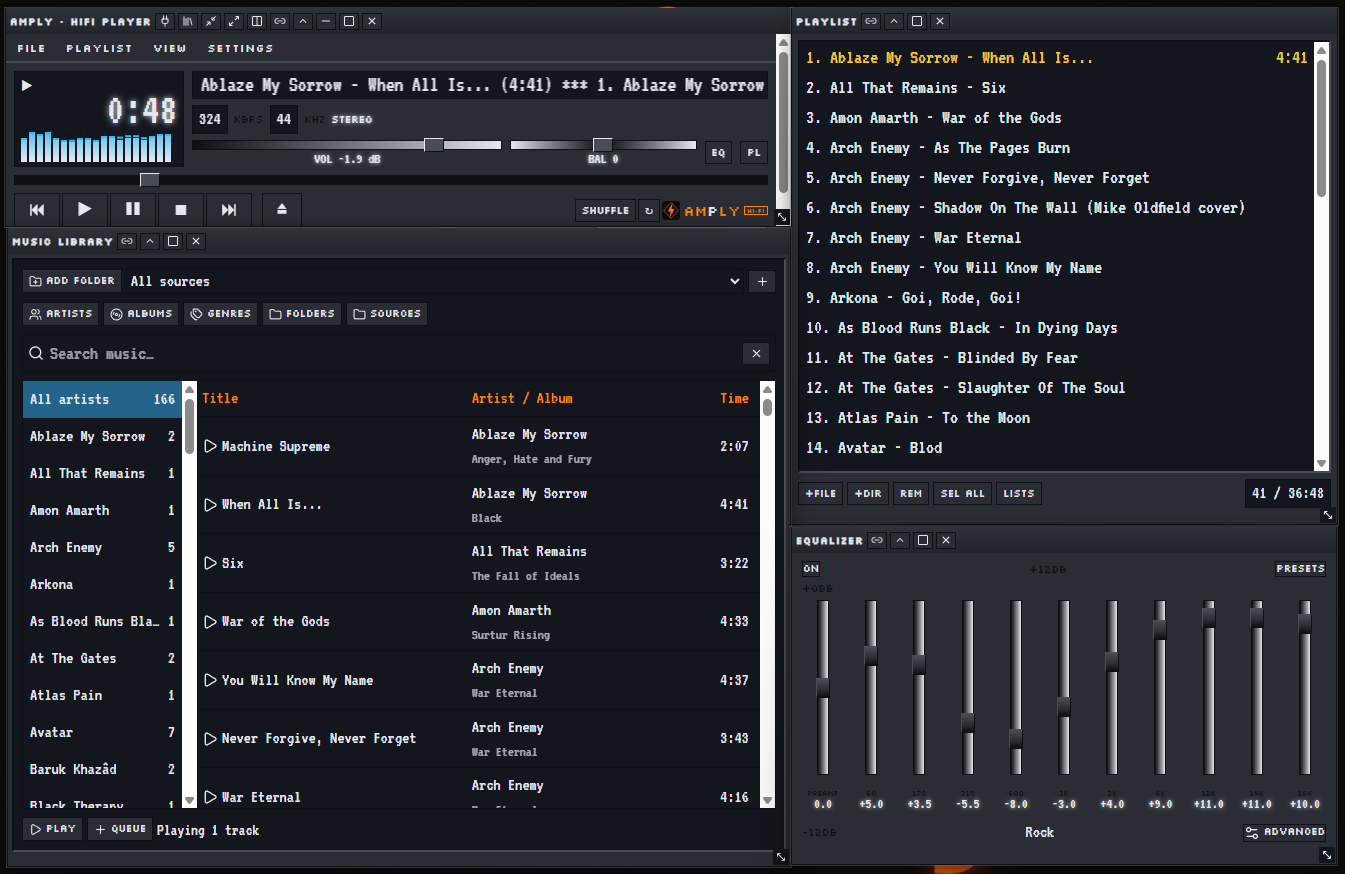
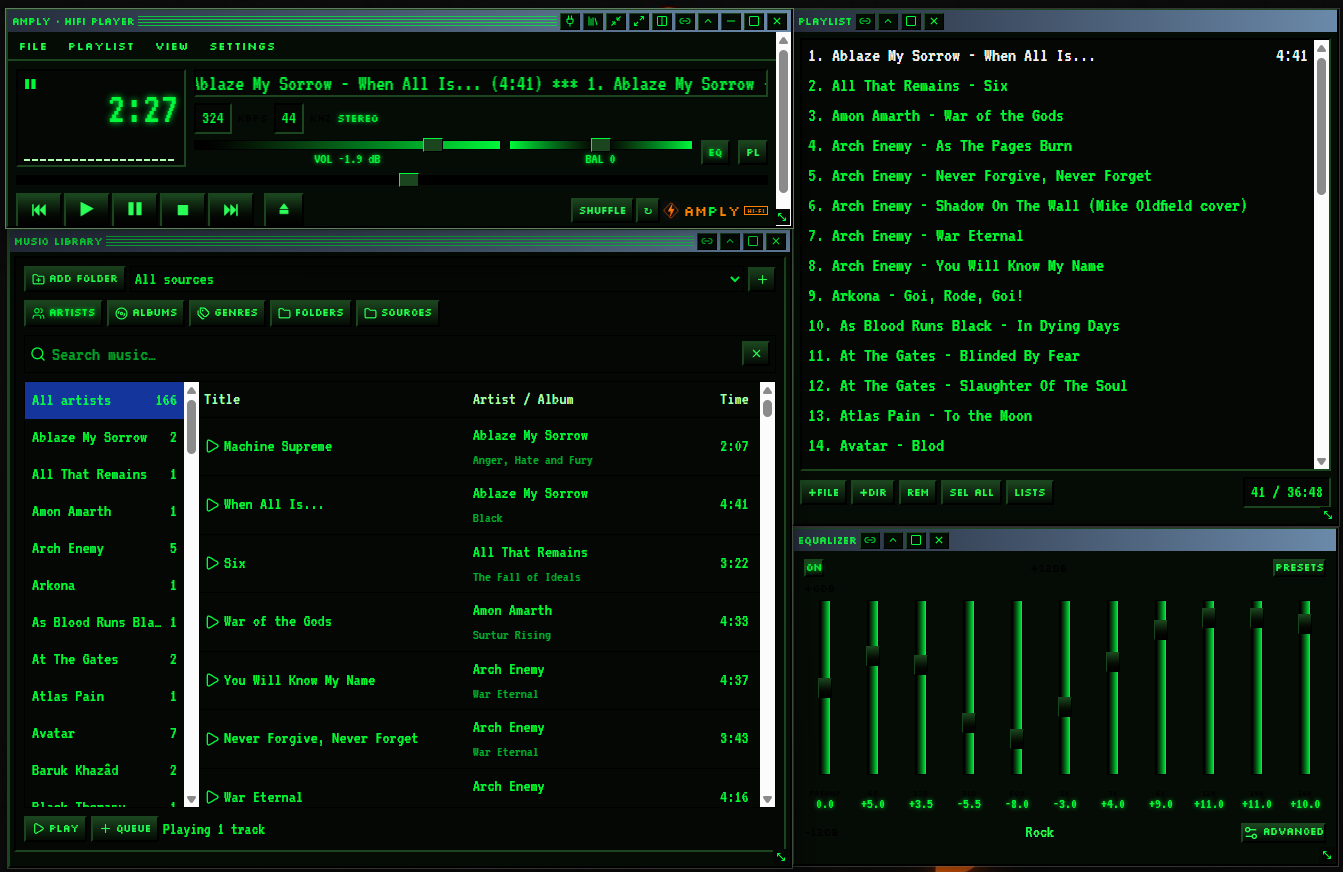
Bit-perfect path — visuals only listen, never touch the sound.
10-band EQ with presets, live dB readouts and Advanced EQ.
Music library auto-sorted by artist, album, genre and folder.
Playlists saved between sessions, fully offline.
Real desktop windows that snap to the player and move together.
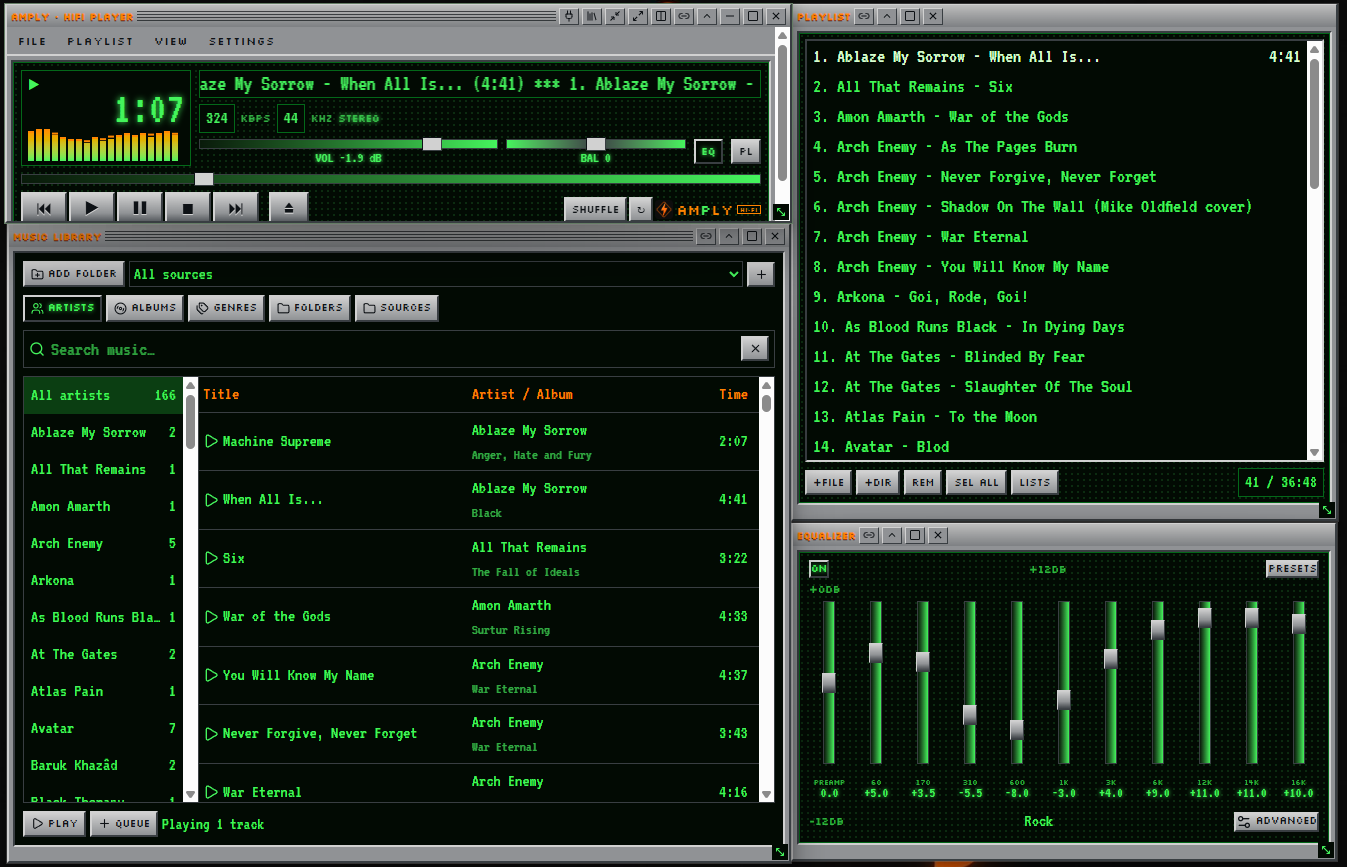
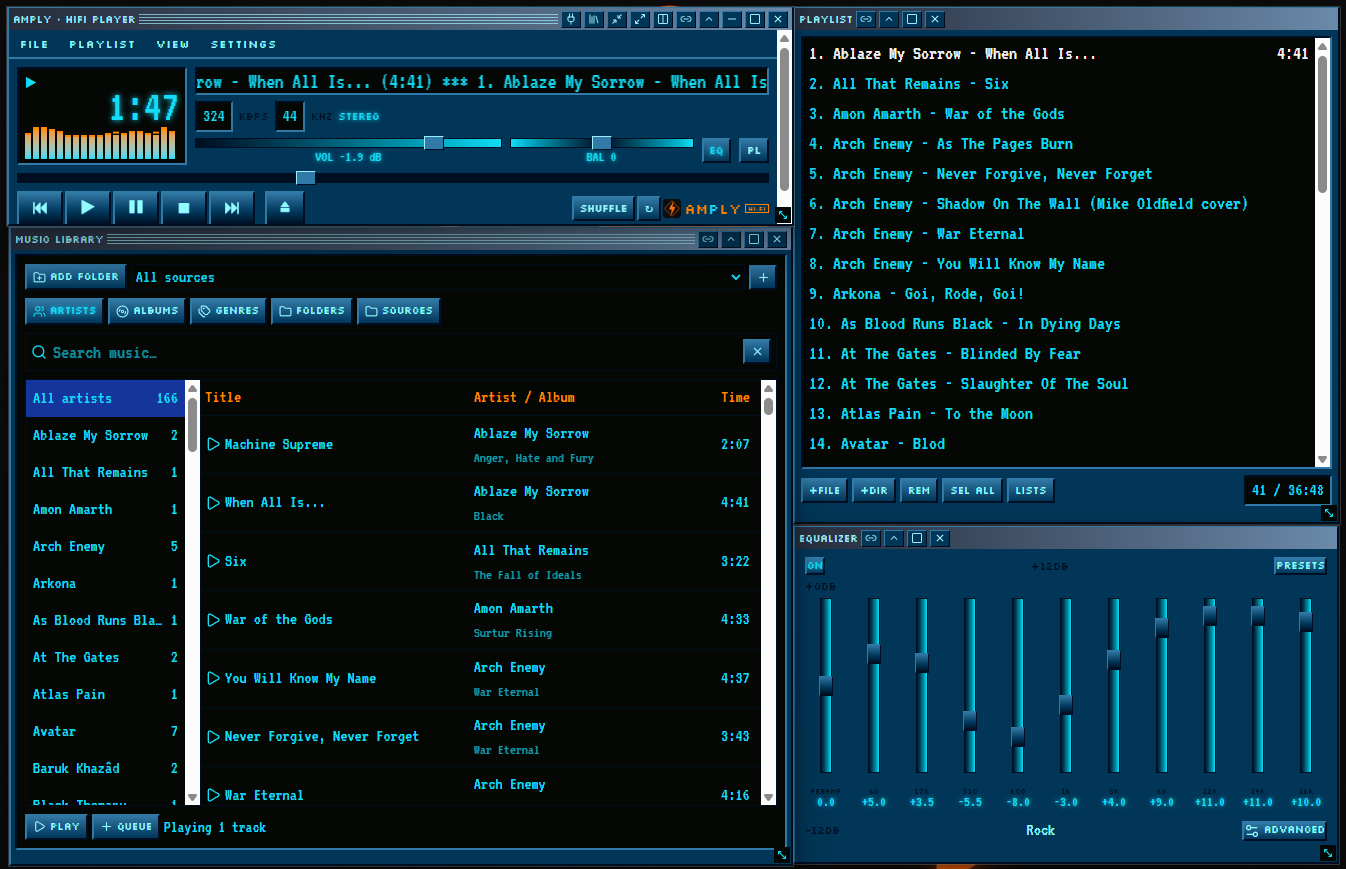
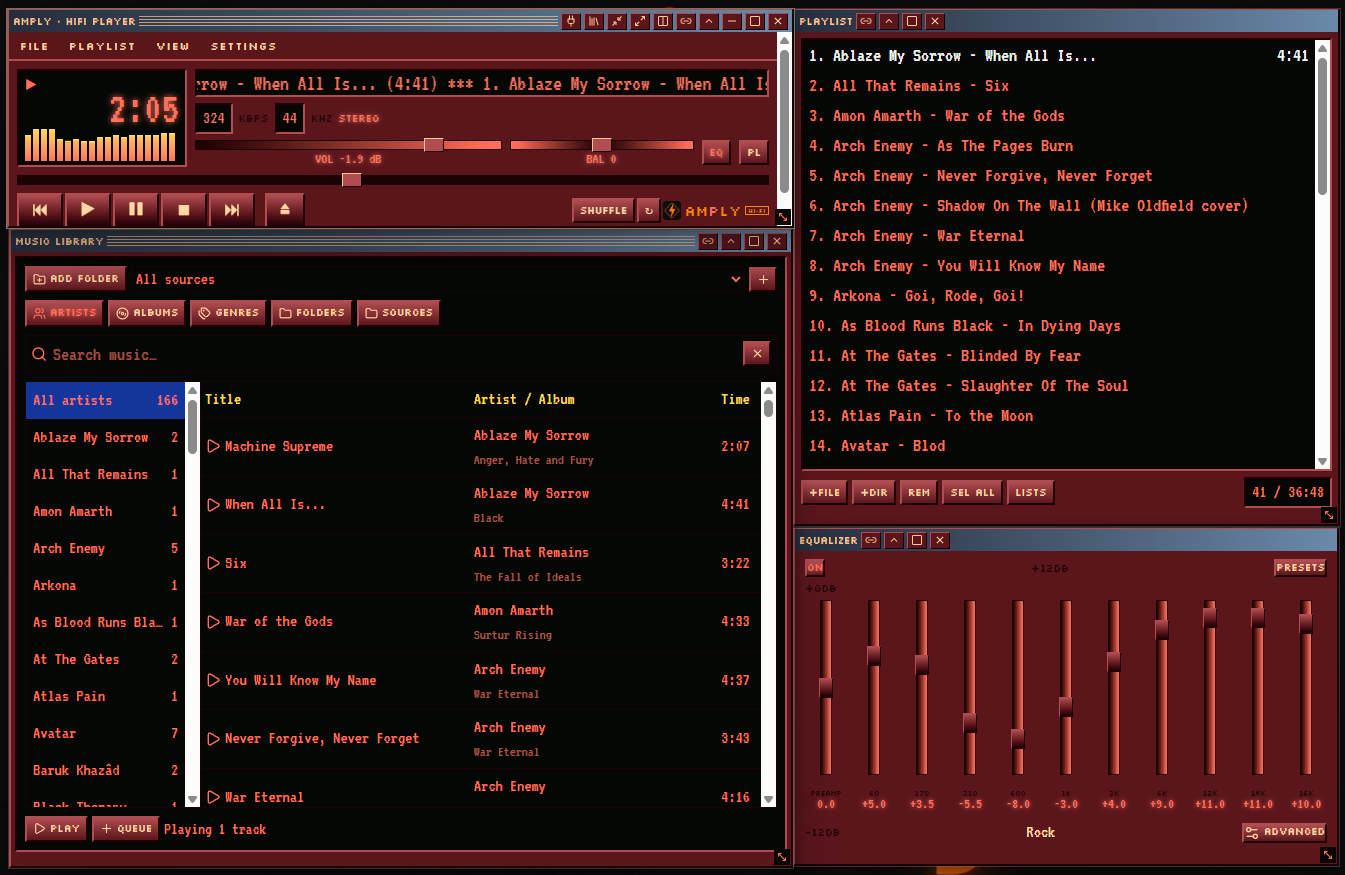
Six skins — Silver, Classic, Nucleo, Ruby, Matrix, Modern.
GETTING STARTED · SETUP GUIDE
Download. Click Download for Windows at the top. On the page that opens, click the file ending in .exe under Assets. It saves to your Downloads folder.
Open the file. Double-click the downloaded file. If a blue window says "Windows protected your PC", click More info, then Run anyway. This appears because AmPly is a free hobby app without a paid Microsoft certificate.
Install. Click Next / Install and wait a few seconds. AmPly appears in your Start menu and on your desktop.
Start AmPly. Open it and press Power on (or Skip) on the start screen.
Add music. Drag songs into the Playlist window, or open the Library window and choose your music folder — it sorts by artist and album automatically. Your files are never moved.
Make it yours. Drag windows close to the player and they snap together. Right-click a window's title to change the skin.